Guide
Best Hinglish Transcription Apps for Indian Teams in 2026
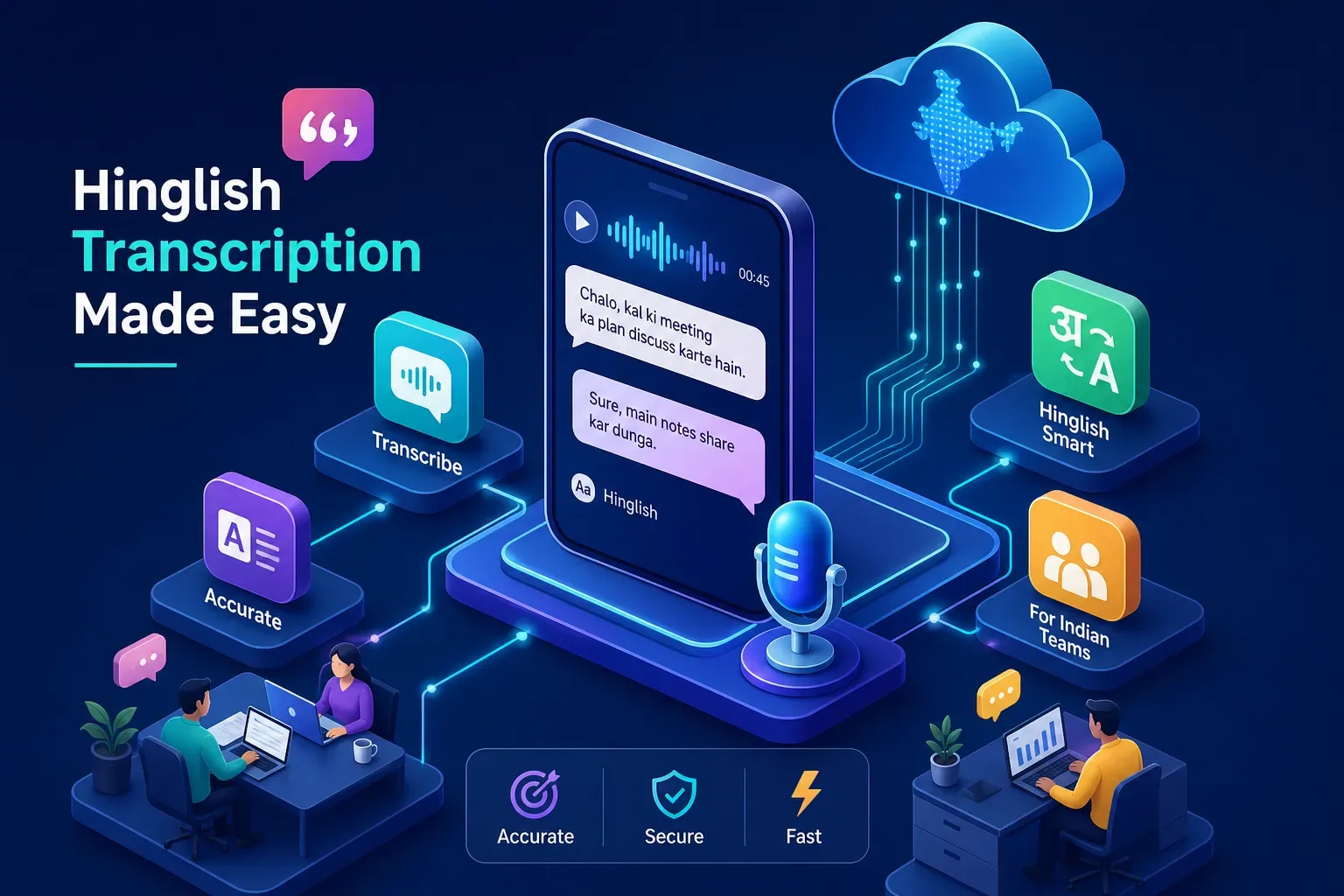
Most transcription tools were built for people who speak one language at a time. Indian professionals don’t. A single sentence in a startup standup might start in Hindi, pivot mid-clause into English, and end with a product term that exists in neither language cleanly. That is Hinglish, and choosing the right Hinglish transcription app matters enormously for the significant portion of urban India that communicates this way at work every single day.
Standard ASR tools treat this code-switching as noise or error, not as valid input. The numbers reflect this: word error rates on Hinglish audio range from roughly 27% to nearly 70% across different models tested on the same recording, figures consistent with benchmarks on code-switched South Asian audio published by academic and industry research groups. That gap matters when your meeting transcript is the official record of a client decision or a board discussion. A few errors in a podcast transcript are an inconvenience. The same error rate in a meeting record is a liability.
A small number of tools, including on-device options built specifically for Indian teams, have begun treating Hinglish as a first-class input rather than an edge case to paper over. This article covers what separates a genuinely capable Hinglish transcription app from one that merely claims multilingual support on a features page.
Why does Hinglish break most transcription engines?
Because the switch happens at the word level and most models only switch at the file level. Code-switched benchmarks show word error rates rising 30 to 50% relative to the same speaker on clean Hindi or English input — a direct consequence of feeding a monolingual model speech it was never trained to handle.
Most ASR models are trained on monolingual corpora or translated multilingual data. Code-switching mid-sentence requires a model that can shift language boundaries at the word level, not the sentence level. Most cannot do this.
The script output problem compounds this. When a model doesn’t know which script to use, it either forces everything into Latin script (losing meaning for Hindi words) or everything into Devanagari (making English terms and brand names unreadable). A proper Hindi-English transcription app outputs English in Latin and Hindi in Devanagari in the same line, producing a clean Romanised Hindi transcript where needed, while preserving देवनागरी where it belongs. Tools like Trelis whisper-hinglish-preview and Shunya Labs Zero STT handle this at the token level using dedicated code-switching markers. Most consumer tools do not.
Urban Indian professionals also mix domain-specific jargon, VC terms, product terminology, and legal phrases into conversational Hindi. Generic models have no training signal for these combinations. Add compressed telephony or remote meeting audio on top of that, and you understand why most transcription tools quietly fail on real Indian professional audio even when they technically “support Hindi.”
What must a reliable Hinglish transcription app actually do?
Four things: detect language per word rather than per upload, emit the right script for each word, label speakers, and export in the format your workflow actually consumes. Anything that asks you to pick a primary language before processing is working around a monolingual model rather than solving the problem.
Some apps let you set a “primary language” at upload. That is not Hinglish support. That is a workaround for a model that still thinks in one language. Real support means the model detects the language of each word or phrase as it processes the audio stream, without manual switching or pre-set flags from the user.
For professional use, speaker diarisation is non-negotiable. In a meeting or interview, knowing who said what matters as much as what was said. Filler-word removal (“um”, “acha”, “haan”, “basically”) keeps the output clean without manual editing. Any Hinglish speech-to-text tool aimed at professional users should offer these by default, yet many capable ASR models are API-only and don’t include them out of the box.
Export format matters too, and it depends entirely on what you’re transcribing. Creators need SRT or VTT for subtitles, effectively a Hinglish subtitle generator they can drop straight into their editing workflow. Journalists and researchers need DOCX or structured text. Meeting teams need action items and summaries, not a raw transcript they then have to parse manually. No single tool does all of this equally well, which is why picking the right Hinglish transcription tool requires knowing your use case first.
Why are meetings the hardest case for Hinglish transcription?
Meetings stack every hard problem at once: simultaneous speakers, cropped sentences, real-time topic switching, variable Zoom and mobile audio, and confidential content. Most cloud tools also join the call as a visible bot, which changes the conversation and raises the question of where the recording goes.
Meetings have simultaneous speakers, cropped sentences, real-time topic switching, and confidential content. Audio quality on Zoom or Google Meet is variable, especially when attendees are on mobile or in noisy environments. This is the most demanding Hinglish ASR environment, and it’s the one most tools are least equipped to handle well.
Most cloud transcription tools add a visible bot to your meeting. This changes the dynamics of the conversation and raises immediate questions: who is in the room, where is the recording going, and who can access it? For client calls, investor conversations, or any discussion with legal weight, these are not abstract concerns.
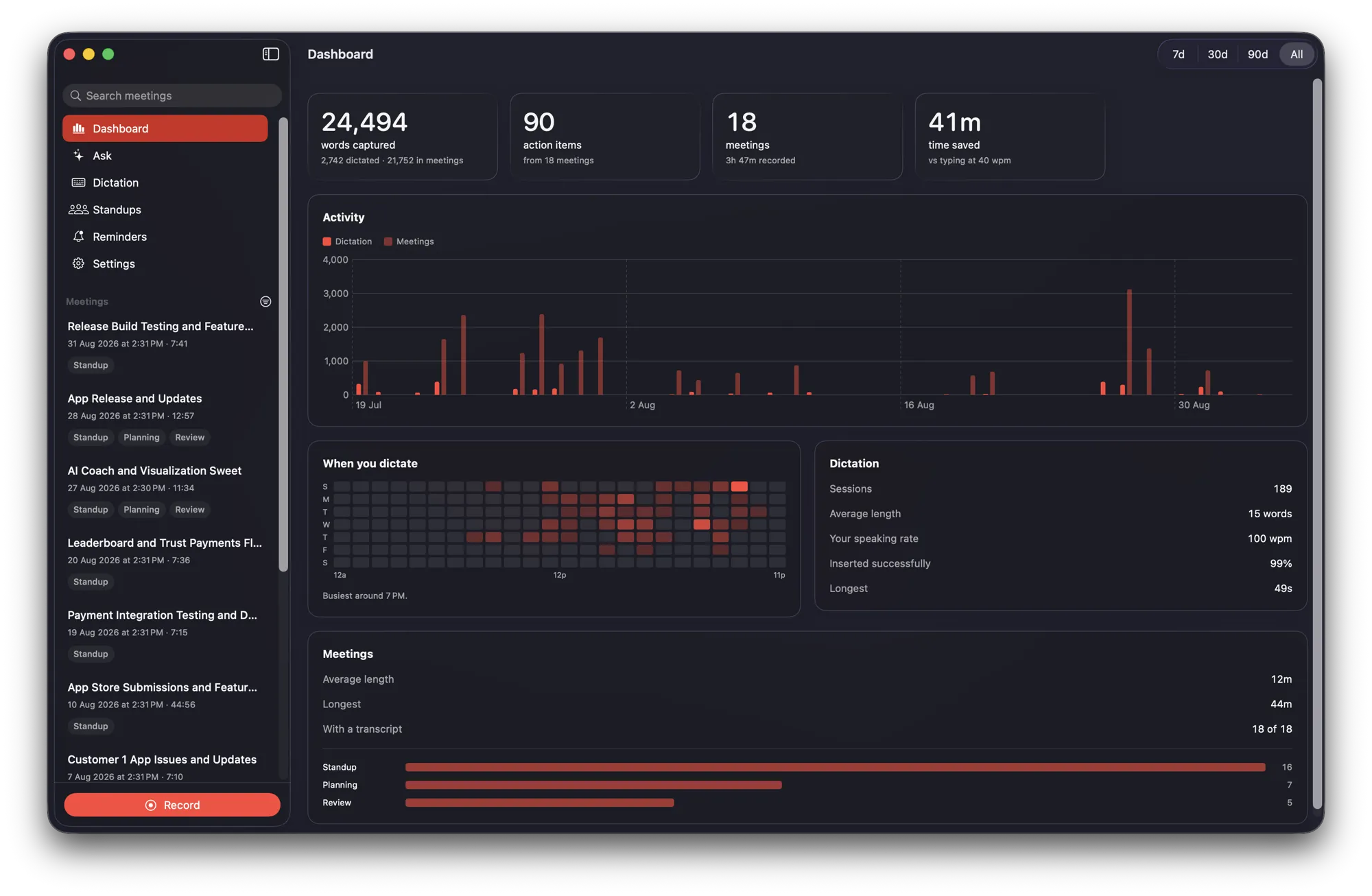
This is the problem MemoFlow addresses directly. It records both your microphone and system audio without adding any bot to the call, runs Whisper large-v3 turbo entirely on Apple Silicon’s Neural Engine, and produces speaker-labelled transcripts with mid-sentence Hindi-English code-switching handled natively. After every recording, it generates AI summaries and action items automatically, all offline, with no data leaving your device. For Indian startup and corporate teams using MacBooks on Zoom, Google Meet, or Teams, this removes the cloud dependency that other platforms introduce by default.
Which Hinglish transcription app fits your use case?
Creators and journalists should optimise for editing and export; corporate and client-facing teams should optimise for where the audio goes; students should optimise for cost and accept the accuracy ceiling. No tool currently leads on all three, so match the tool to the job rather than to the feature list.
| Tool | Best for | What it gives you |
|---|---|---|
| MemoFlow | Meetings and client calls on a Mac | On-device Whisper large-v3 turbo, speaker labels, summaries and action items, chat grounded in your own transcripts, no meeting bot, nothing uploaded |
| Sonix | Content creators and journalists | Word-level timestamps, speaker identification, synchronised in-browser editor, SRT and VTT export |
| Whisper Transcription | Researchers needing structured output | Broader export range — JSON, DOCX, HTML and CSV — plus in-browser editing |
| Shunya Labs Zero STT | Raw Hinglish accuracy | Native code-switching handled at the token level with dedicated markers |
| Trelis Tara / whisper-hinglish-preview | Subtitles from code-switched audio | Code-switching markers that keep the script correct per word rather than per file |
| Transkriptor | Students and light use | A user-set automatic deletion window — one of the better data controls in the cloud category |
| ScreenApp / AssemblyAI API | Students and developers | Accessible free tiers, adequate for short and clean recordings |
For content creators and journalists
Sonix is a capable option in this category. It combines word-level timestamps, speaker identification, a synchronised in-browser editor, and SRT or VTT export in one workflow. Whisper Transcription covers a broader export range including JSON, DOCX, HTML, and CSV, which suits researchers and journalists who need structured data. For creators where Hinglish accuracy on raw audio is the priority over post-processing features, Shunya Labs Zero STT and Trelis Tara offer native code-switching models worth evaluating, particularly useful when you need a Hinglish subtitle generator (SRT/VTT) that doesn’t mangle code-switched speech.
The trade-off is clear: these tools are cloud-based and best suited for recorded content where privacy is not the primary concern. For a YouTube creator transcribing an interview or a journalist working with a recorded source, they are practical and capable.
For corporate teams and client-facing professionals
Here the calculus shifts entirely. Lawyers, chartered accountants, and startup founders dealing with NDAs or DPDP Act obligations cannot route client conversations through a third-party cloud service, regardless of transcription quality. The tool that is perfectly adequate for a podcast becomes a compliance problem in a board meeting.
For this segment, MemoFlow is the clear recommendation for Mac users. It is the only tool that combines complete on-device processing, genuine Hinglish support, and meeting-specific features like speaker labels, action item extraction, and an on-device chat grounded in your own transcripts. For cross-platform teams not on Mac, the options narrow significantly and the privacy trade-offs become harder to manage cleanly.
For students and independent researchers
Transkriptor, ScreenApp, and AssemblyAI’s API offer accessible entry points. Transkriptor lets users set their own automatic deletion window, which is one of the more user-friendly data control features in the cloud category. Free tiers across these tools are generally sufficient for occasional use on shorter recordings.
Be direct about the limitation: on meeting-length audio with real code-switching between Hindi and English, most of these tools struggle. For short, clean recordings under ten minutes, they are adequate. Don’t expect a cloud-based Hinglish transcription app at this tier to handle an hour-long seminar with multiple speakers and heavy domain jargon.
What does India’s DPDP Act mean for cloud transcription?
A recording of a client or employee is personal data under the Digital Personal Data Protection Act. Processing it through a third-party cloud service needs a lawful basis, specific consent, notice to the data principal, and a processing agreement with the vendor. Running transcription locally removes the transfer entirely.
Cloud transcription providers retain your audio and transcripts for varying periods. Most use TLS in transit and AES-256 at rest, but that is server-side encryption, not end-to-end. The provider can still access the data.
| Provider | Stated retention |
|---|---|
| MemoFlow | Nothing leaves the device, so there is no server copy to retain, request or delete |
| Verbit | Audio deleted after 60 days |
| Transkriptor | Deletion window set by the user |
| Hypescribe | Transcripts stored indefinitely while the account is active |
India’s Digital Personal Data Protection Act creates real obligations around this. A meeting recording of a client or employee is personal data under the DPDP Act. Processing it through a third-party cloud service requires a lawful basis, specific consent, proper notice to the data principal, and a data processing arrangement with the vendor. Most SaaS transcription tools operating outside India have not yet addressed these obligations for the Indian market. For professionals in legal, HR, financial services, or healthcare, this is not a theoretical risk.
The only way to guarantee no data leaves your machine is to run transcription locally. For macOS users on Apple Silicon, MemoFlow’s Neural Engine-based processing is the most complete implementation of this principle available for the Indian market. No account, no sync, no telemetry, no third-party server receiving your recordings — the specifics are on the privacy page.
How do you get the cleanest Hinglish transcripts?
Fix the audio first, tell the tool to expect both languages, and budget review time for proper nouns. A dedicated microphone, 16kHz mono WAV rather than compressed MP3, and an explicit Hindi-plus-English language hint will do more for accuracy than switching tools.
Audio quality is the variable you control most. A dedicated microphone or quality headset consistently outperforms built-in laptop audio for ASR accuracy. In a meeting context, muting when you’re not speaking reduces background noise that confuses bilingual transcription models. For uploaded content, 16kHz mono WAV or lossless formats outperform compressed MP3 on most platforms.
For cloud tools that accept language hints, specifying both Hindi and English before processing activates the correct model version. Leaving it on auto-detect defaults to English in most cases, which immediately degrades Hinglish accuracy. Where a tool supports Hinglish as an explicit language code, use it.
No Hinglish transcription app produces a perfect first-pass transcript. Build review time into your workflow for proper nouns, brand names, and domain terms. Tools like Sonix and Whisper Transcription offer in-browser editing that makes this fast. For meeting use specifically, a summary and action-item layer removes the need to read the full transcript for most practical purposes. You’re not reviewing a document; you’re acting on outputs.
The right tool for the right situation
Hinglish transcription is genuinely hard, and the tools that handle it well are still a small group. Word error rates on the same audio can vary by more than 40 percentage points across platforms. Choose on what you are transcribing, what you need from the output, and how much data exposure you can afford.
For Indian professionals, choosing the right Hinglish transcription app depends on what you are transcribing, what you need from the output, and how much data exposure you can afford.
For Indian professionals using a Mac who need accurate Hinglish transcription from real meetings, full privacy, and no cloud dependency, MemoFlow is the only tool currently built for all of that at once. It is not a general-purpose transcription service with India support added on. It was designed specifically for how Indian professionals actually speak in professional settings.
The tool that works for YouTube subtitles is not the tool you should trust with a confidential client call. Pick the one that fits your actual situation, not the one with the longest feature list.
Frequently asked questions
What is the best Hinglish transcription app in 2026?
It depends on what you are transcribing. For meetings and client calls on a Mac, MemoFlow is the strongest option because it handles mid-sentence Hindi-English code-switching entirely on-device, labels speakers, and never uploads audio. For recorded content and subtitles, Sonix and Whisper Transcription have better editing and export workflows. For raw code-switching accuracy on an API, Shunya Labs Zero STT and Trelis Tara are worth evaluating.
Why do transcription apps get Hinglish wrong?
Most speech recognition models are trained on monolingual corpora, so they can switch language between files but not between words. Hinglish switches mid-clause. Benchmarks on code-switched audio show word error rates rising 30 to 50% relative to the same speaker on clean Hindi or English, and on the same recording different models can vary from roughly 27% to nearly 70%.
Is there a Hinglish transcription app that works offline?
Yes. MemoFlow runs Whisper large-v3 turbo on Apple Silicon’s Neural Engine, so transcription, summaries and search all happen on the Mac itself and the app keeps working with no network connection. Most other Hinglish-capable tools are cloud services and stop working offline.
Does India’s DPDP Act apply to meeting recordings?
A recording of a client, employee or customer is personal data under the Digital Personal Data Protection Act. Processing it through a third-party cloud transcription service requires a lawful basis, specific consent, proper notice to the data principal, and a data processing arrangement with the vendor. Running transcription locally avoids the transfer entirely.
Which Hinglish transcription tool exports SRT subtitles?
Sonix exports SRT and VTT with word-level timestamps and speaker identification, and Whisper Transcription covers JSON, DOCX, HTML and CSV as well. For subtitles from heavily code-switched audio, the code-switching models from Shunya Labs and Trelis are the ones least likely to mangle the script.
How accurate is Hinglish transcription on meeting audio?
Lower than on clean single-language audio, and highly variable by tool. Word error rates on the same recording can differ by more than 40 percentage points across platforms. Compressed telephony and mobile meeting audio, overlapping speakers, and domain jargon each degrade accuracy further, so expect to review proper nouns and brand names on any tool.
Hinglish meeting notes, on your Mac, with nothing uploaded.
Records both sides of the call, labels who said what, writes the summary and action items — in Hindi, English, and the Hinglish in between.
macOS 26 · Apple Silicon · no account, free for 7 days